
Download the Global Publishing Status
 For supported software information, click here.
You can download the global publishing status in CSV format for all sites and appliances. Each row in the CSV file contains the following information:
- Site—Name of the site
- Appliance—Name of the appliance
- Status—Current publishing status
- Master Profile—For Releases 13.1.1 and later, this field contains the name of the main template assigned to the appliance. For Releases 12.2.2 and earlier, this field contains the master profile assigned to the appliance
To download the global publishing status in CSV format:
- In tenant view, select the Deploy lifecycle in the left navigation screen. The Deploy screen displays.
- Select the Sites tab in the horizontal menu bar. The screen then displays all the tenant's sites.

- Click the Publish button. The global publish screen for all the tenant's sites and appliances displays.
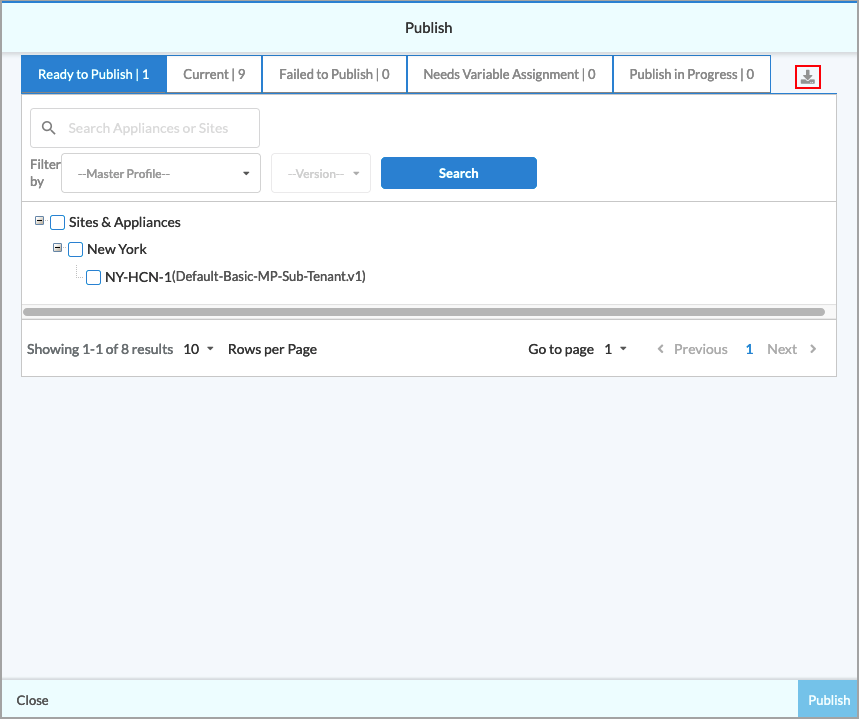
- Click the Download icon to download a file in CSV format that contains the publishing status for all the tenant's sites and appliances. The following figure shows an example of the contents of a downloaded CSV file.

Software Release Information
Releases 11.4.1 and later support all content described in this article.